13.2. Network Policies
Task 13.2.1: Create a network policy with the Hubble UI
The Enterprise Hubble UI has an intergate Network Policy Editor similar to the one we already know from lab Cilium Network Policy. The Enterprise Network Policies Editor allows you to use knowlege of the current flows to easealy create new policies.
Go to Network Policies:
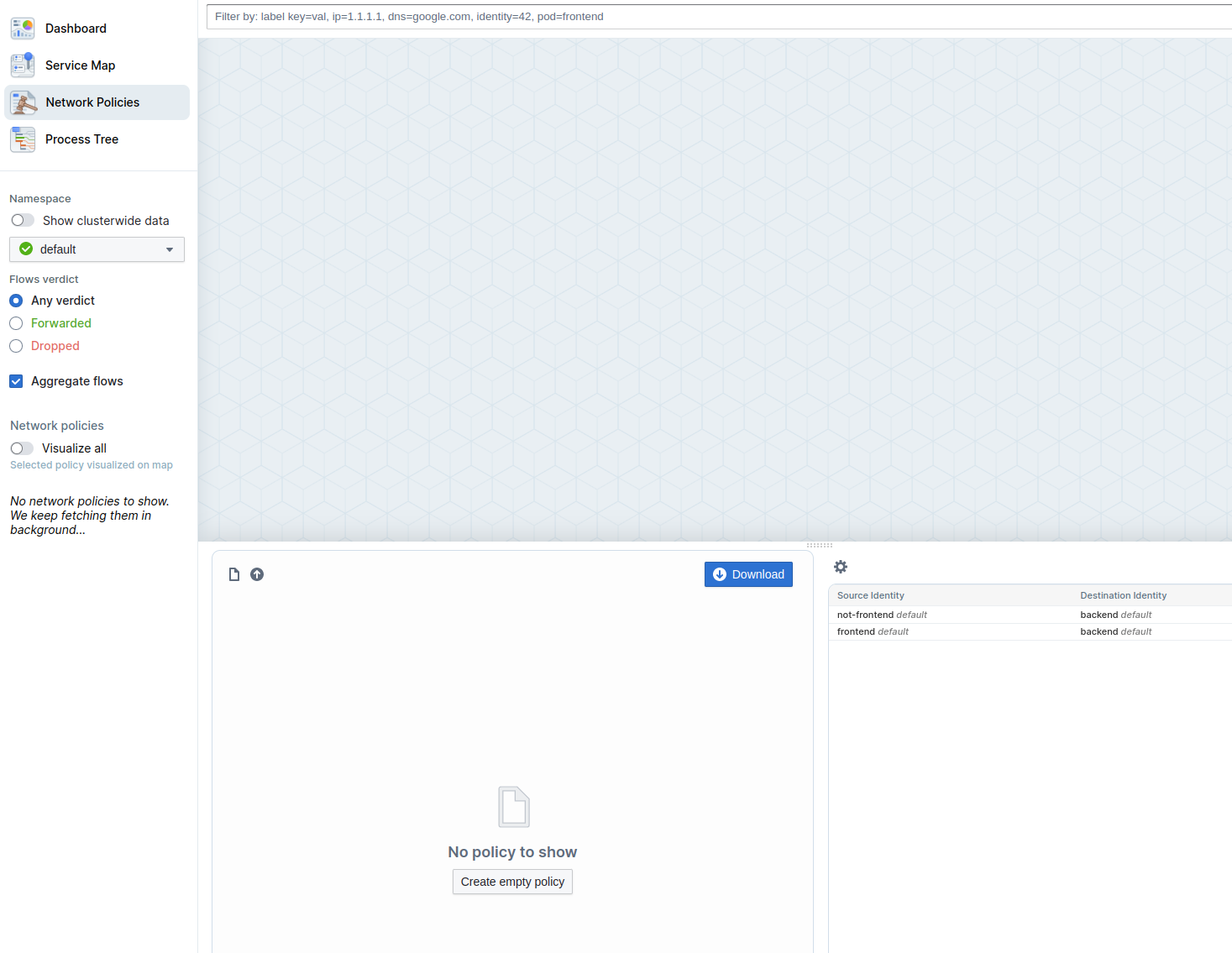
And the create a new empty policy:
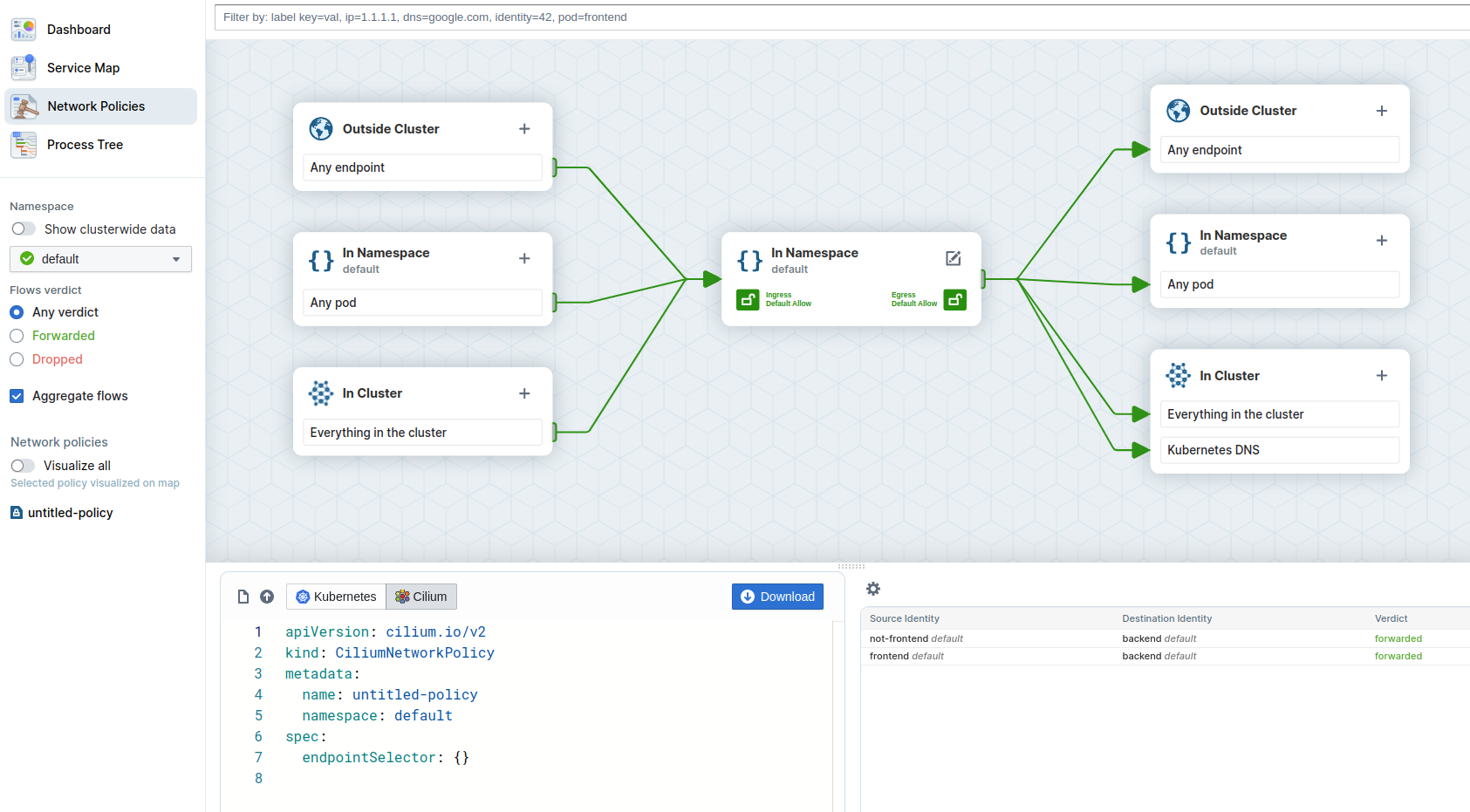 .
.
We now want to allow traffic from the frontend pod to the backend pod while traffic from not-frontend to backend is blocked. In the right panel you the see existing flows. Select the flow from frontend to backend and then click on the Add rule to policy Button. The Network Policy Editor now visualice the policy.
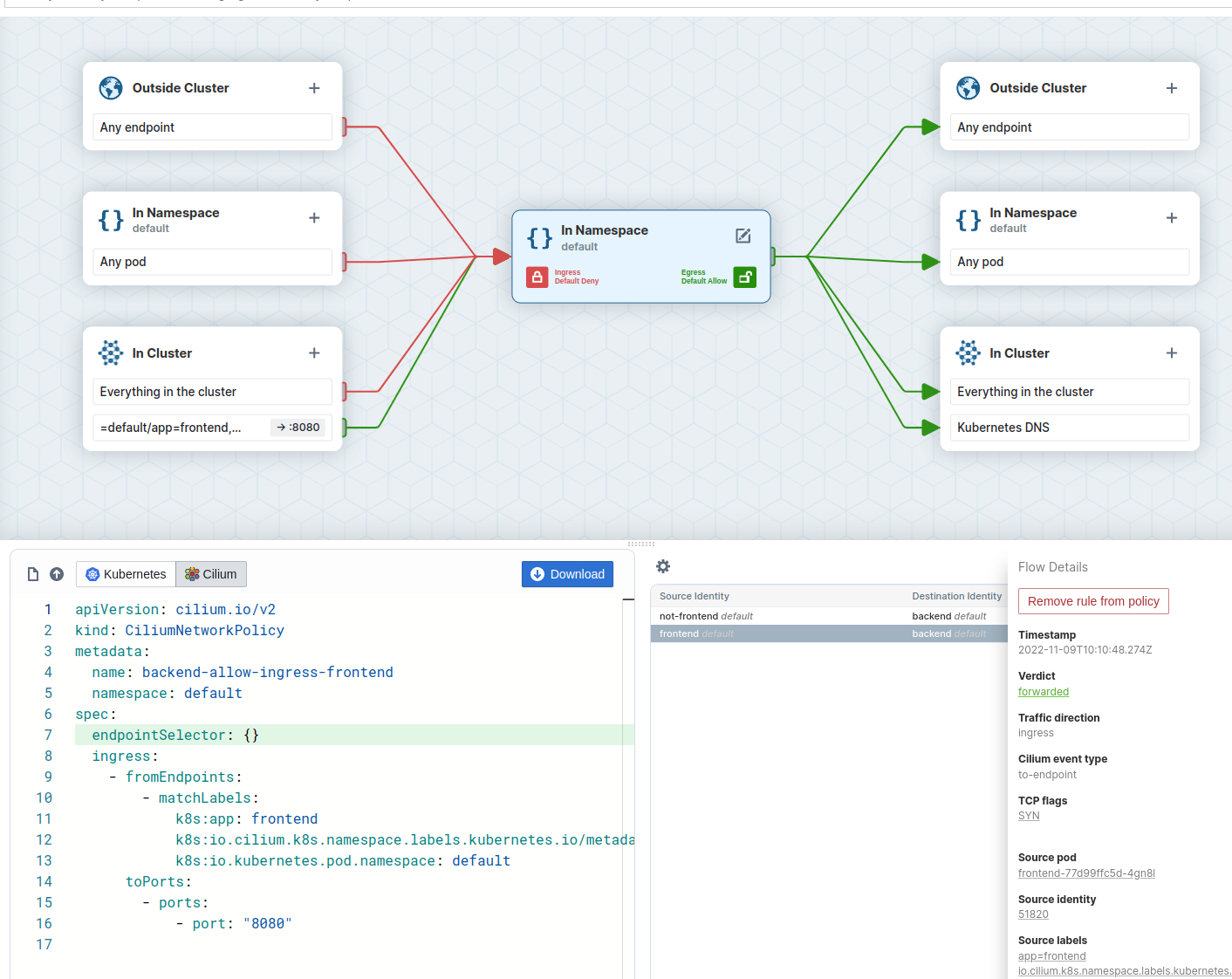 .
.
Edit the Policy Name to backend-allow-ingress-frontend and also add app=backend as the endpoint selector:
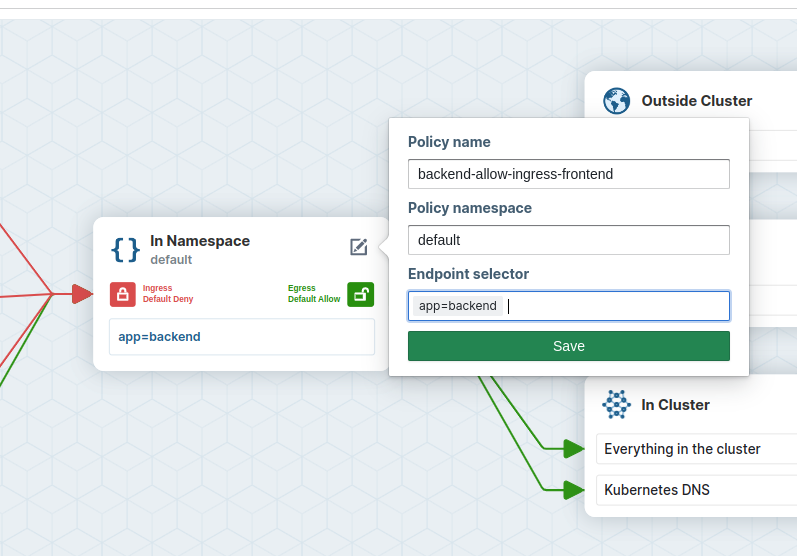 .
.
Afterwards download the CiliumNetworkPolicy which should look like:
---
apiVersion: cilium.io/v2
kind: CiliumNetworkPolicy
metadata:
  name: backend-allow-ingress-frontend
  namespace: default
spec:
  endpointSelector:
    matchLabels:
      app: backend
  ingress:
    - fromEndpoints:
        - matchLabels:
            k8s:app: frontend
            k8s:io.cilium.k8s.namespace.labels.kubernetes.io/metadata.name: default
            k8s:io.kubernetes.pod.namespace: default
      toPorts:
        - ports:
            - port: "8080"
Task 13.2.2: Apply Network Policy
Apply the file with:
kubectl apply -f backend-allow-ingress-frontend.yaml
and then execute the connectivity test again:
kubectl exec -ti ${FRONTEND} -- curl -I --connect-timeout 5 backend:8080
and
kubectl exec -ti ${NOT_FRONTEND} -- curl -I --connect-timeout 5 backend:8080
And you see the frontend application is able to connect to the backend but the not-frontend application cannot connect to the backend:
# Frontend
HTTP/1.1 200 OK
X-Powered-By: Express
Vary: Origin, Accept-Encoding
Access-Control-Allow-Credentials: true
Accept-Ranges: bytes
Cache-Control: public, max-age=0
Last-Modified: Sat, 26 Oct 1985 08:15:00 GMT
ETag: W/"83d-7438674ba0"
Content-Type: text/html; charset=UTF-8
Content-Length: 2109
Date: Tue, 23 Nov 2021 13:08:27 GMT
Connection: keep-alive

# Not Frontend
curl: (28) Connection timed out after 5001 milliseconds
command terminated with exit code 28
Task 13.2.3: Observe the Network Flows
In the Hubble UI Service map you see now some dropped flows.
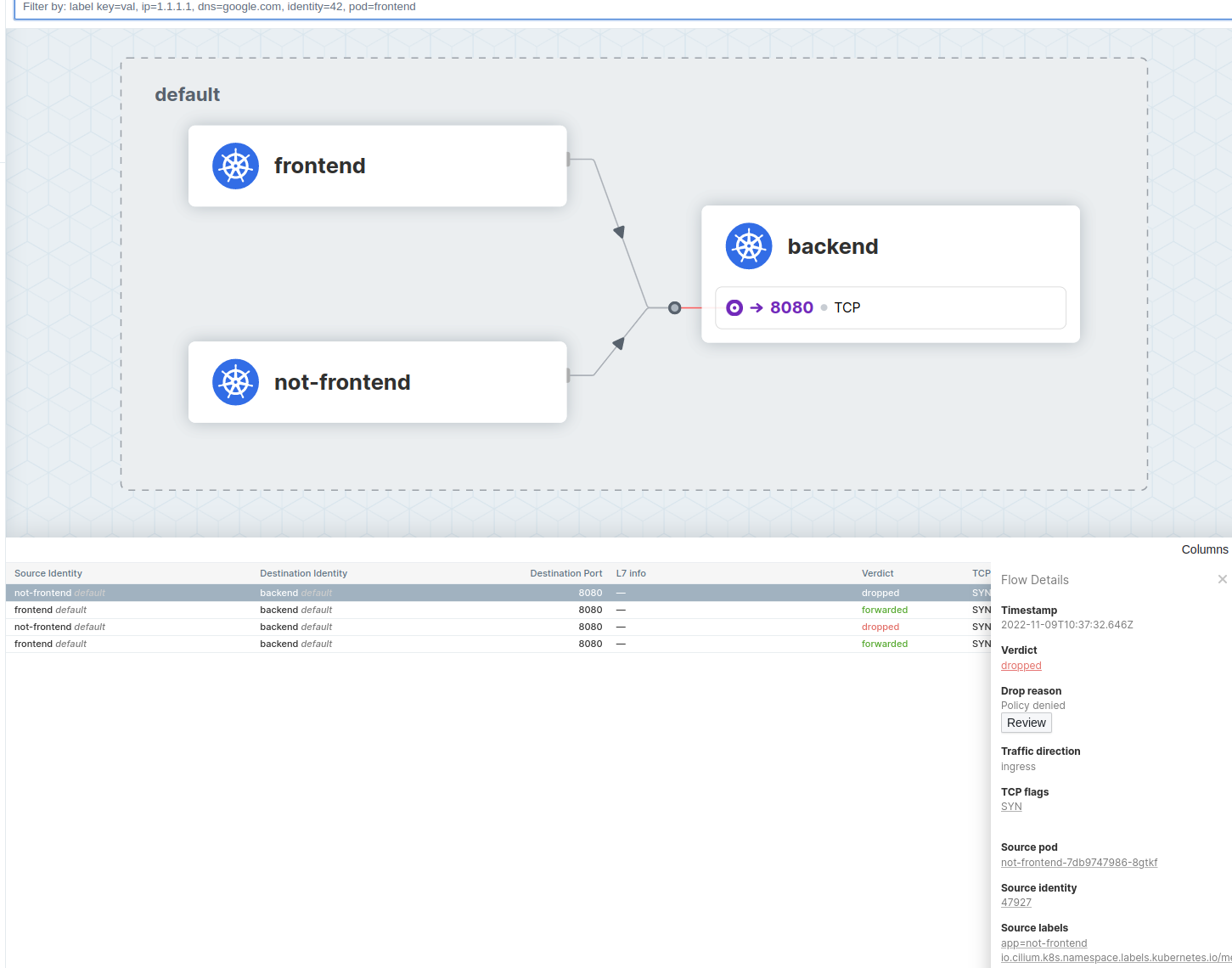 .
.
By clicking on the Review button, the enterprise Hubble UI allows you to see which Network Policy was the reason for the dropped verdict.